Transfer Batch Desk
A downloadable tool
Transfer Batch Desk
Mix transfer jobs. Keep the cut, pack and reprint trail.
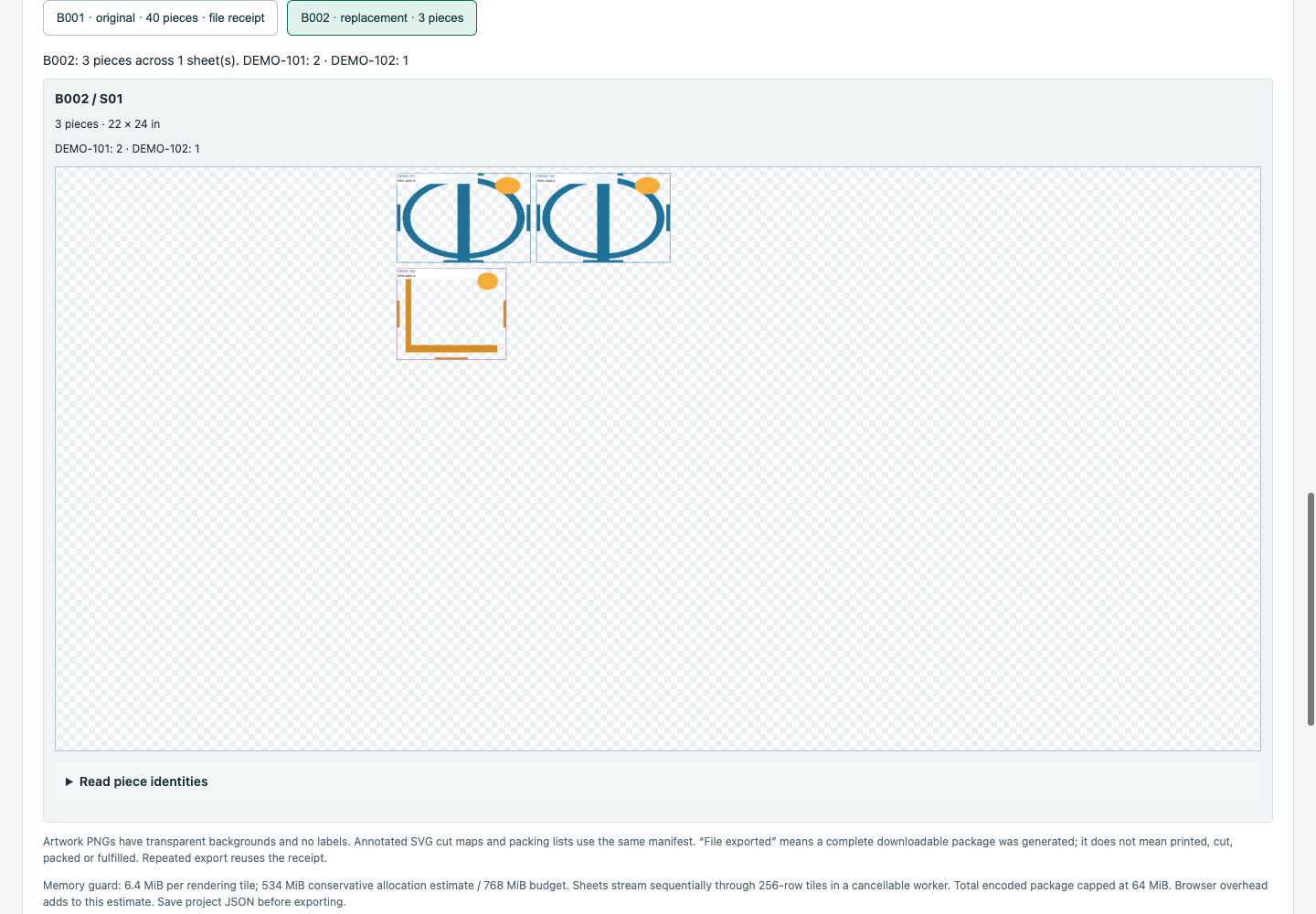
Combine PNG artwork from several orders on bounded transfer sheets. Every piece keeps its job, artwork and placement identity, with matching cut maps and per-job packing lists. When a few originals are spoiled, enter those quantities and generate a separate replacement batch with links to the original pieces.
Full edition — $29 USD once
An offline download for one shop. Up to 100 requested original pieces per project, 100 pieces per batch and 16 bounded sheets. Multiple jobs can share a sheet. This purchase is for the downloadable v0.1.0 early-access version; there is no subscription or account.
Free edition — $0
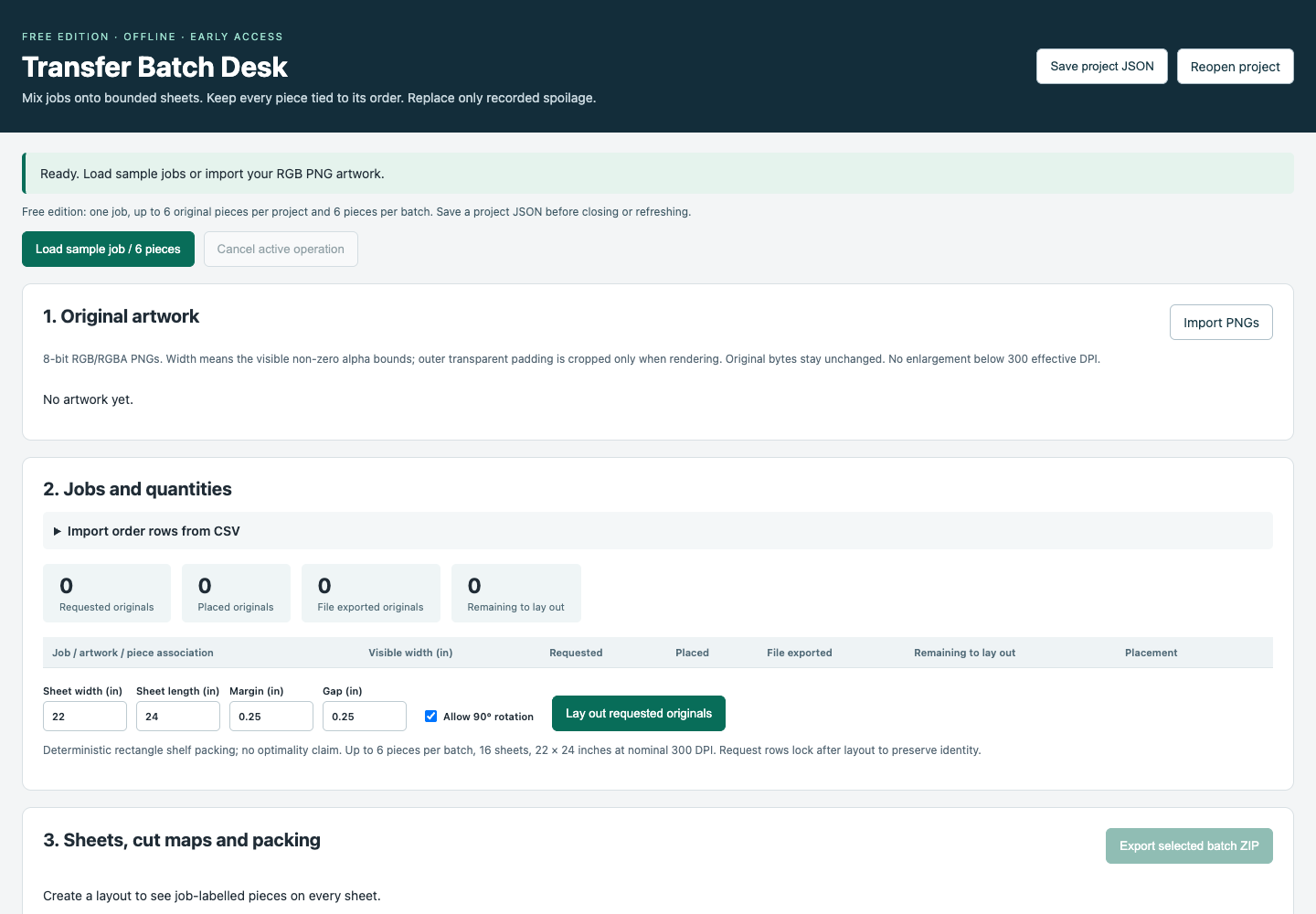
Try the same artwork, cut-map, packing and partial replacement workflow with one job and up to six requested original pieces per project and six pieces per batch. Save the project and start fresh for another trial job. No activation key or email sign-up is required by the app.
What you get
- A single HTML app that opens locally in desktop Chromium. No install, server or network connection is required.
- Original geometric sample PNGs, a sample order CSV and an offline quickstart.
- Transparent, unlabelled RGB/RGBA artwork PNGs plus separate SVG cut maps, a cut CSV, packing CSV/HTML and the matching manifest.
- Saved project JSON containing the original artwork bytes, requested quantities, layouts, spoilage links and file receipts.
- Editable request rows before layout, effective DPI checks, optional 90-degree rotation and configurable sheet dimensions up to 22 × 24 inches at nominal 300 DPI.
Repeated export generates another copy of the same batch without adding requested pieces. A file receipt means a package was generated; it does not mark any piece printed, cut, packed, shipped or fulfilled. Replacement quantities apply to original pieces once; recording further spoilage of a replacement is outside this version.
Before you buy or use it in production
Use non-interlaced 8-bit RGB or RGBA PNGs. Visible width is measured from non-zero-alpha bounds, so outer transparent padding is cropped when drawing; original file bytes stay unchanged. Artwork that would need enlargement below 300 effective DPI is rejected. Sheet metadata uses 11811 pixels/metre, approximately 299.9994 DPI. A 22 × 24-inch sheet contains 6600 × 7200 pixels.
Each PNG is limited to 8 MiB and 16 MP; a project to 32 artwork identities, 24 MiB of original bytes and 64 MP. Encoded export content is capped at 64 MiB. Export uses sequential 256-row tiles and a 768 MiB working-allocation guard. That guard is not a browser RAM ceiling: the largest-source test reached about 2.1 GiB in summed Chromium process-tree RSS, including helpers and shared pages. Large artwork requires comfortable free desktop memory.
The exact v0.1.0 HTML files were tested offline in Chrome 154 on macOS. Windows/Linux desktops and other browser versions have not been independently tested. Mobile is outside this release. Save project JSON before closing or refreshing; there is no automatic save.
Packing uses deterministic rectangles and makes no optimal nesting or material-saving promise. Supplier acceptance, color matching and physical printing scale are unvalidated. Check your supplier's file, alpha, orientation and mirroring requirements and test a small sample. No PDF export, white ink, RIP, CMYK, halftoning, printer control or curing is included.
Screenshots from the app
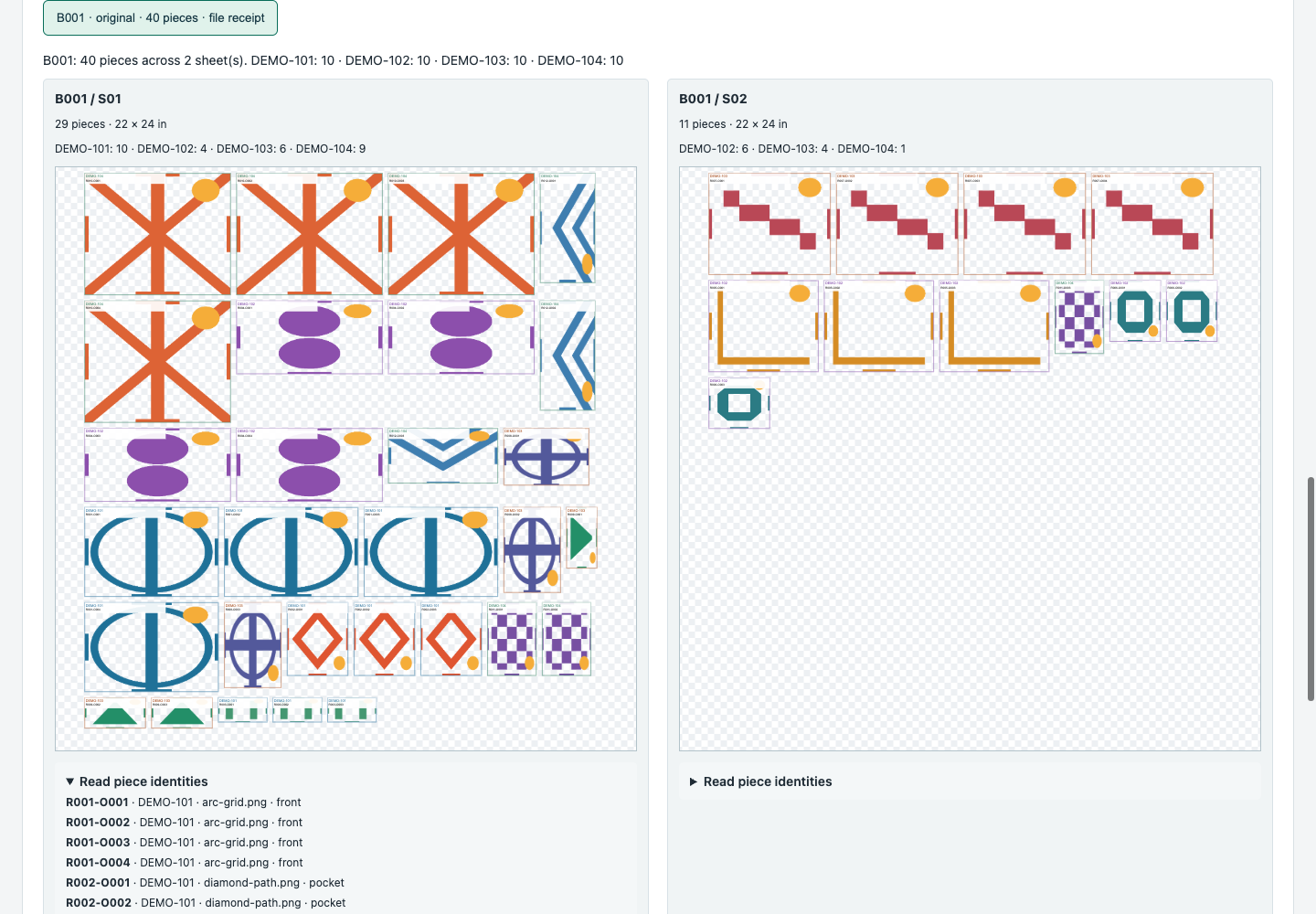
Four fictional orders: 40 pieces across two sheets, with readable job counts and piece identities.
Three replacement pieces: two from one job and one from another, keeping the original batch available.
The free edition opens locally and includes the same workflow at its smaller limit.
AI-assisted development
Transfer Batch Desk was developed with OpenAI Codex AI assistance, including code, documentation and automated QA. The sample geometric artwork was generated procedurally by AI-assisted local code; it contains no customer artwork or product photography. Screenshots show the actual running app with fictional jobs. Validation used automated synthetic-data tests, not a real-shop operator study or third-party certification.
After trying the free edition, what would make the $29 version worth buying for you?
Purchase
In order to download this tool you must purchase it at or above the minimum price of $29 USD. You will get access to the following files:
Download demo
Leave a comment
Log in with itch.io to leave a comment.